Solution
The intelligent
workplace requires
a smart, secure,
and AI-powered solution
The intelligent
workplace requires
a smart, secure,
and an AI-powered solution
Microsoft Teams Rooms helps you deliver value across the entire meeting and workplace lifecycle. You can improve collaboration experiences by empowering your teams to Boost Productivity with Intelligent Spaces, Collaborate with Impact, and Optimize Workspaces, along with the broader business outcomes they enable.
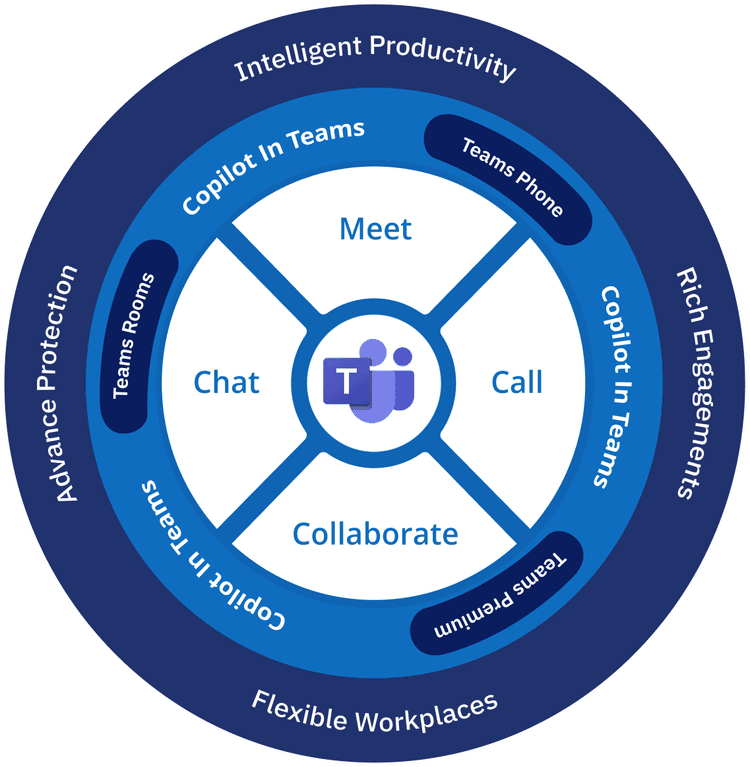
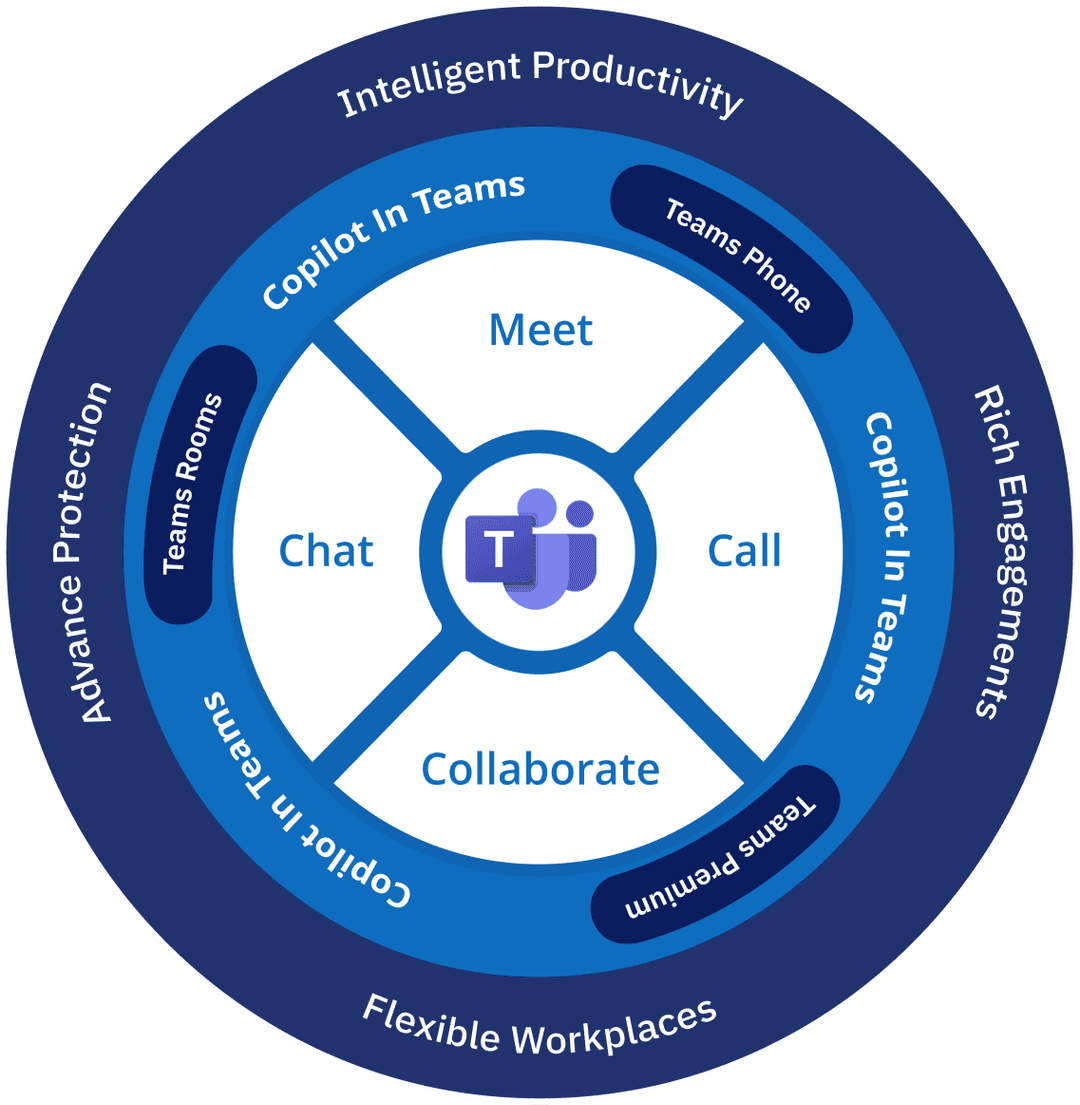
With the integration of Teams Phone, Teams Rooms, Teams Premium, and Microsoft 365 Copilot, Microsoft powers your intelligent, hybrid and secure workplace.
Available features listed below must be enabled by the organization and may depend on Teams Premium and Copilot licenses, meeting type, tenant configuration, supported languages, rollout status, and region. Organizations should evaluate privacy, consent, enrollment, regional requirements, and administrative controls before enabling any of these capabilities.
With the integration of Teams Phone, Teams Rooms, Teams Premium, and Microsoft 365 Copilot, Microsoft powers your intelligent, hybrid and secure workplace.
Available features listed below must be enabled by the organization and may depend on Teams Premium and Copilot licenses, meeting type, tenant configuration, supported languages, rollout status, and region. Organizations should evaluate privacy, consent, enrollment, regional requirements, and administrative controls before enabling any of these capabilities.
.png)
Boost Productivity with Intelligent Spaces
Focus on work that matters
Intelligent features to supercharge your speed of work
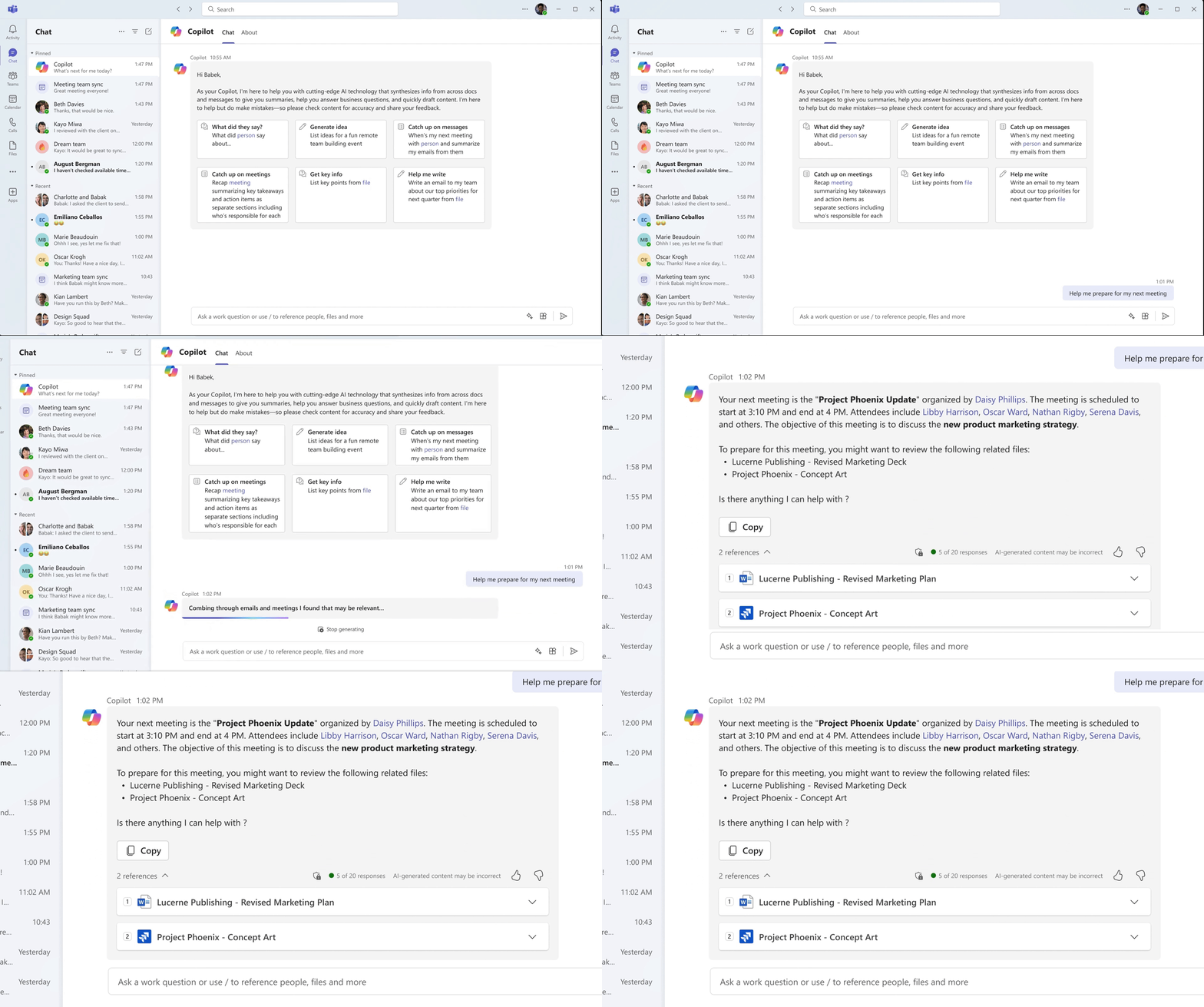
YOUR PERSONAL AI ASSISTANT
Quickly catch up on discussions without having to scroll
Easily draft or refine messages for better communication
Generate fresh ideas for projects and meetings
.png)
Collaborate with Impact
Enhance communication experience
Facilitate rich engagement with colleagues, partners, and customers
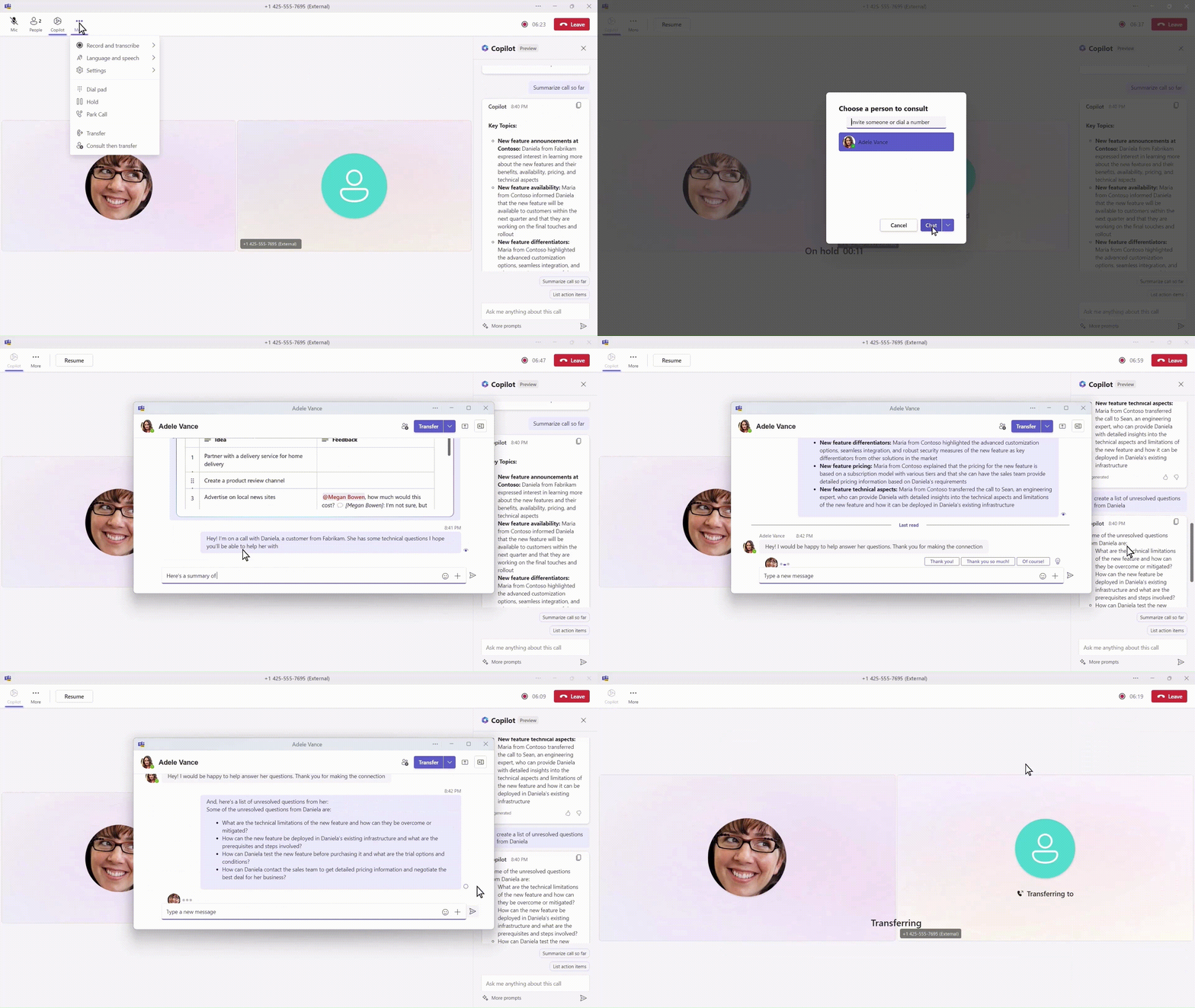
Smart calling and meetings
Easily start a call with contact cards, chat, or calls tab
Get real-time insights on follow-up questions and next steps to suggest
Easily transfer calls to a colleague with full context of the prior discussion
Optimize Workspaces
Empower Hybrid Work
Capabilities to make collaboration easy, in the office, at home or on the go
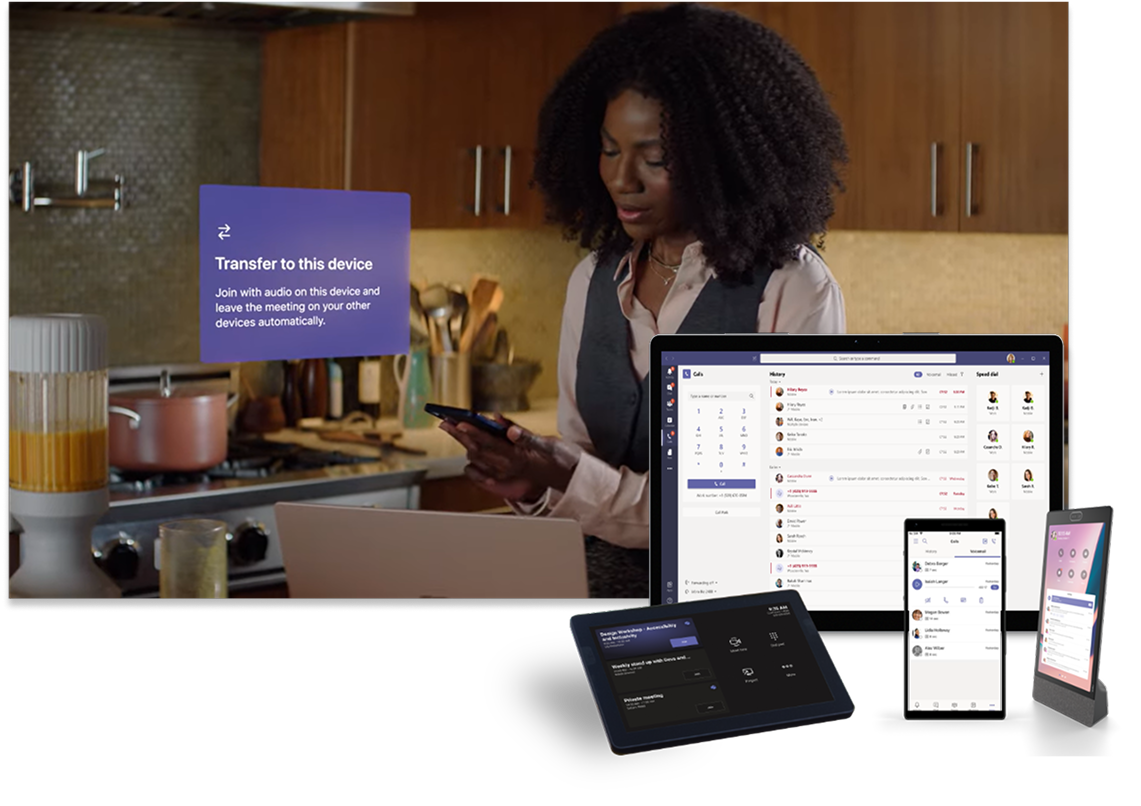
Mobile experience
Transfer calls and meetings between mobile and desktop without interrupting the conversation
Make and receive calls or join meetings on a shared device
Get consistent experiences across a wide range of certified devices

Advance Protection
Advanced security and protection
Deter information leaks, safeguard meetings, and protect against unwanted calls
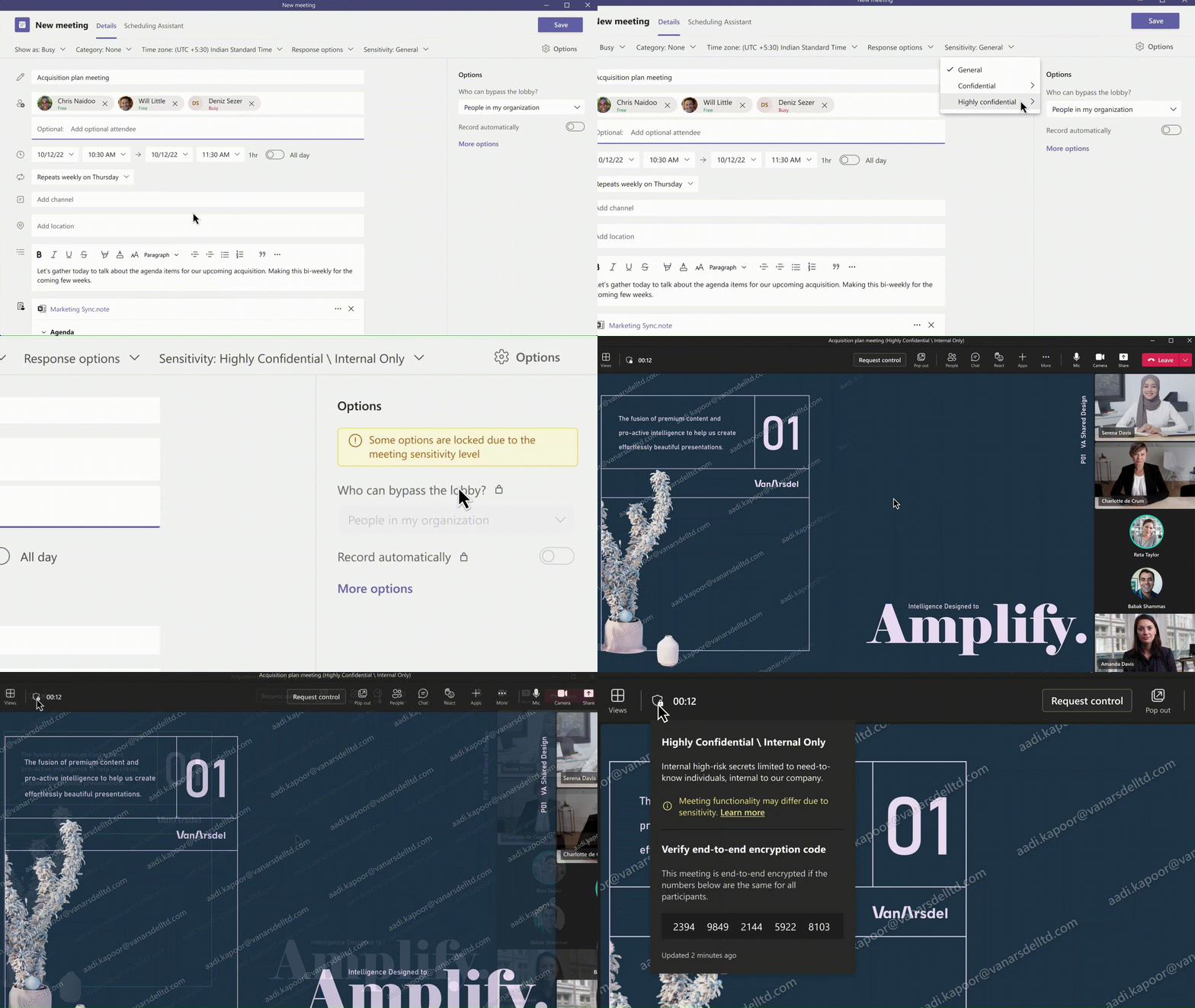
Secure information
Easily apply the right sensitivity labels and limit who can record
Enable customized watermarking for content and attendee video
Automatically apply policies with meeting templates
Apply end-to-end encryption (E2EE) for calls and meetings